Vinyl Cutters & Plotters: A Practical Workflow for Kenyan Print Shops
Learn how to prepare artwork, load film, test cuts and troubleshoot common vinyl-cutting problems before starting customer production.
Vinyl Cutters & Plotters turn prepared artwork into cut shapes for lettering, garment decoration and other branding work. For print shops in Kenya and East Africa, learning the workflow matters just as much as choosing a machine. Clean artwork, suitable film and a checked test cut help you spot problems before committing material to a customer’s order.
Understand the job before cutting
Start by identifying what you need to produce. Cutting lettering from coloured film is different from cutting around a printed graphic. Garment decoration also needs a different application process from adhesive graphics.
- For cut lettering and shapes, prepare vector paths that tell the blade where to travel.
- For printed graphics, check whether the job requires contour cutting and how the machine aligns the cut with the print.
- For heat-transfer film, confirm the cutting orientation and application instructions supplied for that material.
A cutter does not print the artwork. If your job includes printed graphics, plan printing and cutting as separate stages, with compatible materials and a suitable alignment workflow.
Vinyl Cutters & Plotters in the SEAFAR catalogue
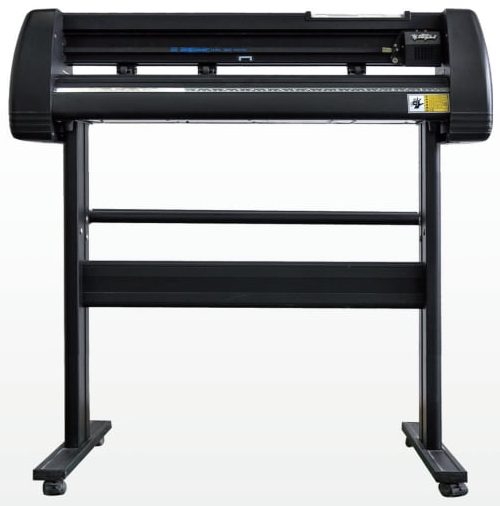
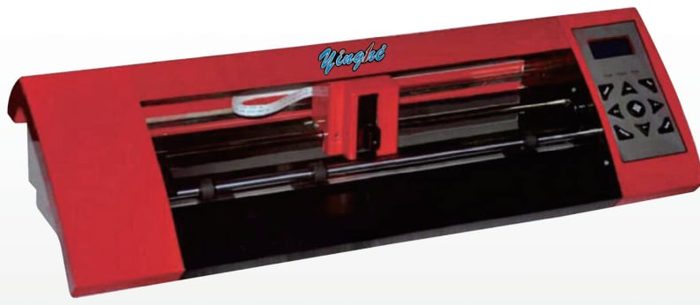
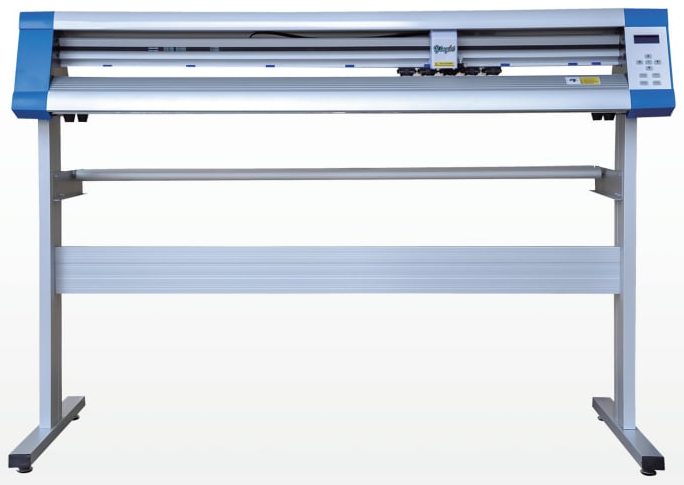
SEAFAR International lists the Trademark cutting plotter YH-360J / 720J / 870J / 1100J / 1350J and the Desktop cutting plotter YH-360.
The catalogue also includes the Contour cutting plotter (ARMS) YH-630G / YH-1200G, listed with a high-speed stepping motor. Discuss your intended printed-graphic workflow when considering a contour model.
Before choosing, ask SEAFAR to confirm the working width, software requirements, material compatibility and alignment method for the exact model. Do not infer these details from a model name alone. Prices are confirmed on WhatsApp.
Prepare artwork that cuts cleanly
Check paths, lettering and scale
A photograph or flattened logo is not automatically ready for blade cutting. Prepare clean vector outlines and inspect the file at the intended finished size.
- Convert lettering to outlines where your software requires it.
- Remove duplicate paths that could make the blade cut the same area twice.
- Close unintended gaps and simplify unnecessarily complex curves.
- Check that small details will remain manageable during weeding.
- Confirm dimensions against the approved customer layout.
Weeding means removing the unwanted film around and inside the design. Very fine lettering may look attractive on screen but be difficult to weed and apply consistently.
Confirm whether mirroring is needed
Many heat-transfer films are cut in mirror image through the film layer while leaving the carrier intact. Other materials follow different procedures. Check the film instructions rather than applying one rule to every roll.
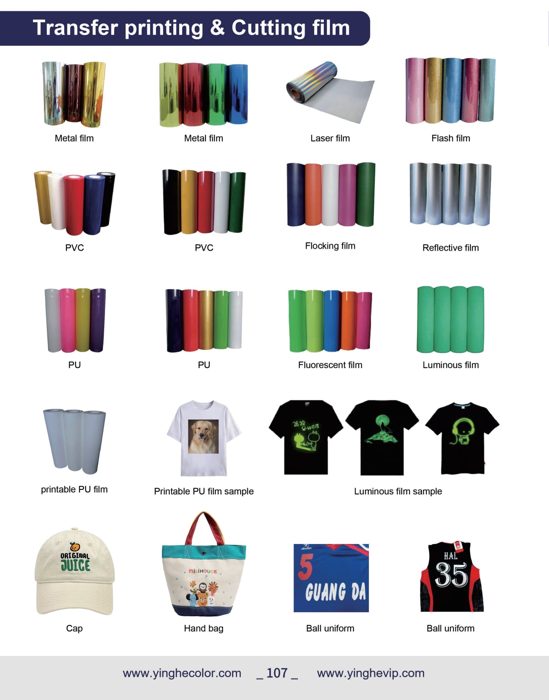
SEAFAR’s transfer printing and cutting film listing includes PU, PVC, flocking, reflective, fluorescent and printable PU film, among other options. Confirm the specific film’s suitability for your cutter, application process and intended surface before production.
Load the material and run a test cut
Load the film straight, position the rollers according to the machine instructions and leave the material free to feed without obstruction. Check the blade holder and cutting area before starting.
Use a small test design to assess blade exposure, cutting force and speed. Change one setting at a time so you can identify what improves the result.
For a typical kiss-cut workflow, the blade should cut the film cleanly without cutting through its backing or carrier. Weed the test and inspect both layers before sending the full design.
- If the film does not separate cleanly, check blade condition, exposure and force.
- If the backing is deeply scored, reduce excessive blade exposure or force.
- If corners lift or fine details distort, inspect the artwork and consider a slower cutting speed.
- If the material drifts, check loading, roller placement and feed resistance.
Do not treat extra force as the solution to every cutting problem.
Finish, inspect and record the job
Weed carefully, keeping small lettering and internal details in place. Use the appropriate transfer method for the material: adhesive graphics may require application tape, while heat-transfer film follows its specified pressing and peeling instructions.
Inspect spelling, dimensions, orientation and edges before application. For unfamiliar materials or surfaces, test the complete process on a suitable sample first.
Keep a job record covering the film used, artwork version, blade setup, machine settings and test result. These notes provide a starting point for repeat work, although a new roll or blade still warrants another test.
Keep the cutting area clean and remove loose scraps safely. Follow the machine’s maintenance instructions rather than using unapproved cleaning products or lubricants.
Next steps
Build your team’s skills with Machine Operation & Technical Training, covering operation, care and troubleshooting. To discuss Vinyl Cutters & Plotters, suitable film or training, WhatsApp +254 795 463 928 or email ENQUIRY@SINTL.CO.KE.