sintl printing machines: Match Equipment to Your Order Mix
Choose printing equipment around the work your customers actually order. Compare garment, signage, personalisation and packaging workflows before building your shortlist.
Searching for sintl printing machines is a useful starting point, but the right purchase depends on the jobs your shop needs to complete. A garment transfer, a banner and a branded rigid item involve different production steps. For print businesses in Kenya and East Africa, shopping by order type is more useful than comparing machine prices alone.
SEAFAR International’s catalogue covers printing, transfer, cutting and finishing equipment. This guide explains how to turn your customer orders into a focused machine shortlist without treating different technologies as interchangeable.
Start with the work, not the machine name
Review your recent enquiries and completed jobs. Group them by finished product rather than by customer: garments, signage, personalised items or packaging. Then separate repeat work from occasional requests.
For each group, record:
- The material customers want printed or branded.
- The artwork dimensions and finishing requirements.
- Whether jobs repeat or change frequently.
- Which production steps you already handle.
- Where delays, rejected work or outside processing occur.
This gives you a practical buying brief. A shop that already receives ready-made transfers may need better pressing capacity rather than its own transfer printer. Another shop may need to address finishing delays before adding printing equipment.
Shortlist sintl printing machines by order type
Garment orders: distinguish printing from pressing
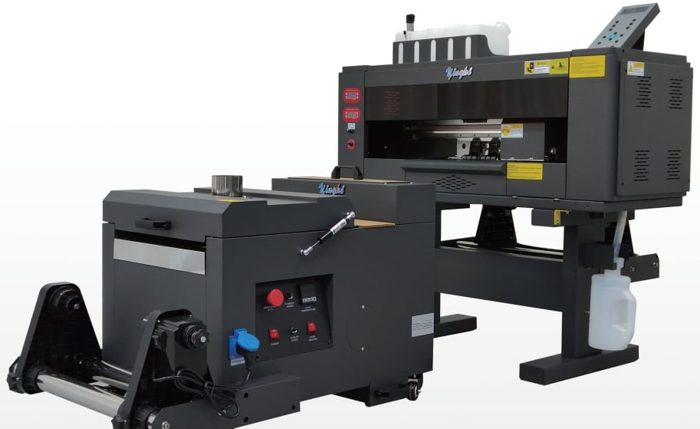
For a garment workflow, consider the YH-A3 DTF printer + powder shaking machine, listed at KES 470,250 with Epson XP600 x2.
DTF production involves more than printing an image. Film, powder handling, curing and transfer application must work together. Ask which stages the proposed configuration covers and what additional equipment or materials your process requires.
The Yinghe 38 × 38cm Flatbed Heat Press Machine, listed at KES 29,999, is described for professional garment printing, DTF transfers and heat-transfer vinyl. A press applies suitable transfers; it does not replace the printer that produces them.
If you buy transfers from another producer, assess pressing requirements first. If you want to produce transfers yourself, review the complete workflow before choosing the printer.
Signage orders: plan beyond the printed roll
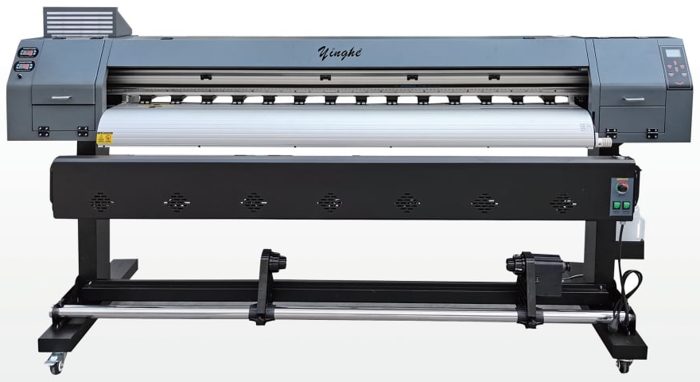
The Large format printer YH-1800A is listed at KES 335,000. Its catalogue description identifies it as a 1.85m eco-solvent printer with one Epson XP600 printhead, intended for signage and banners.
When assessing signage work, include the steps after printing. Depending on the job, these may involve drying, trimming, laminating or mounting. Check that your media choices and finishing arrangements suit the intended application.
A printer shortlist should therefore reflect both the artwork you produce and how your team turns printed media into a customer-ready product.
Personalisation orders: separate UV DTF from UV flatbed
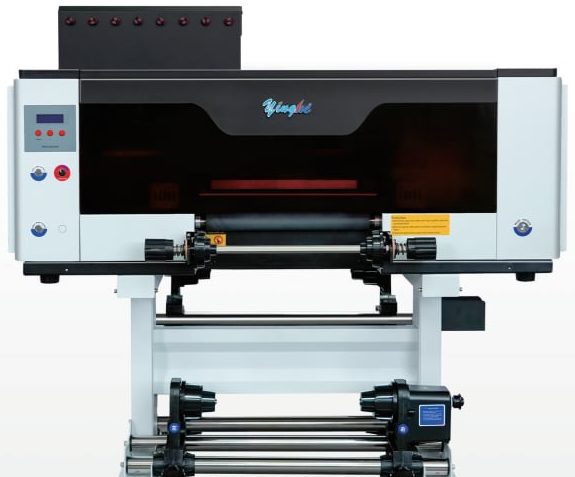
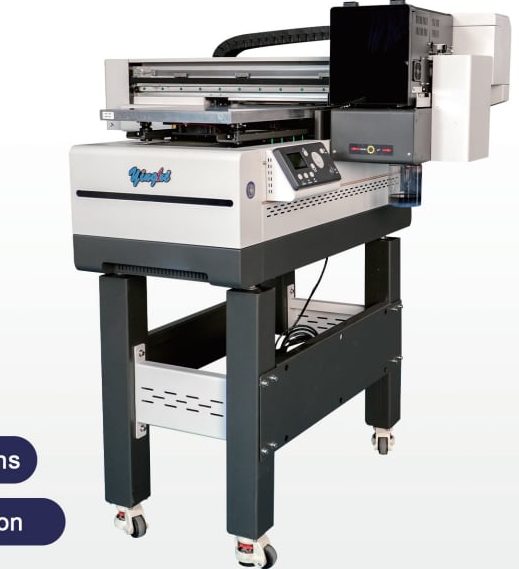
The A3 UV DTF printer is listed at KES 807,500, with Epson XP600 x3. The YH-A3 UV flatbed printer is also listed at KES 807,500, with Epson DX7.
The matching catalogue prices do not make these equivalent purchases. In general, UV DTF uses a transfer workflow, while UV flatbed printing places the image directly onto a suitable item or substrate.
Bring examples of the objects you intend to decorate. Ask about material suitability, surface preparation, object dimensions and the application process. Do not assume that every surface is compatible simply because a machine is described as UV.
Packaging orders: define the blank before comparing machines
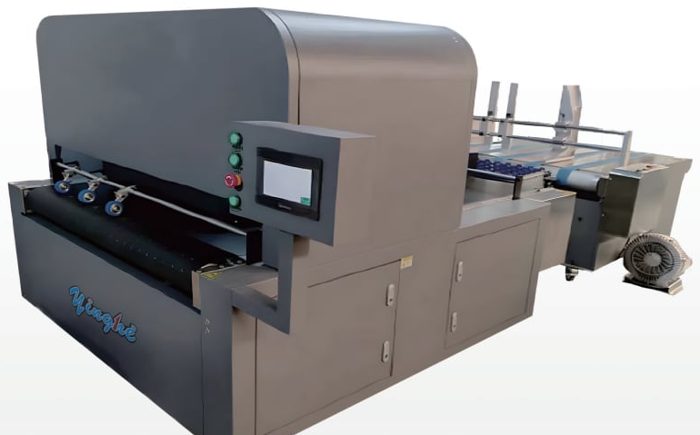
The Digital corrugated box printer is listed at KES 1,092,500. The catalogue identifies HP nozzles and 2/3/4/6-head options.
For packaging enquiries, describe the actual blank: its material, dimensions, surface and condition when it reaches the printer. Clarify whether your job involves flat blanks or another presentation, and ask for compatibility confirmation.
Treat the listed head options as details to clarify, not a reason to assume every configuration is included in the displayed price.
Choose the next production stage to improve
After matching equipment to job types, identify the stage that most needs attention. Buying another printer will not resolve a queue caused by artwork preparation, transfer application or finishing.
Before deciding, ask:
- Can the shortlisted equipment handle the materials and artwork sizes we use?
- Which existing tools can remain in the workflow?
- What consumables and operator skills will the new process require?
- Can we organise preparation, production and finishing without obstructing each other?
SEAFAR’s Printing Business Setup & Production Planning service helps plan a new business or expansion around what customers buy. Production Workflow & Technical Consulting offers advice on achieving more consistent output from existing equipment and materials.
Next steps
Share your main order types, materials and existing equipment on WhatsApp +254 795 463 928 or email ENQUIRIES@SINTL.CO.KE. Ask SEAFAR to help narrow your shortlist and confirm the configuration and current price on WhatsApp before purchasing.