sintl kenya: Choose a Computer for Your Print Shop
Buying a computer for artwork preparation or printer control? Compare SINTL catalogue options and check software, connections and configuration before ordering.
Searching for sintl kenya to find a computer for your printing business? Start with the work it must handle, rather than the model name alone. A computer used for quotations and artwork approval has different requirements from one preparing production files or running printer-control software.
For print shops in Kenya and East Africa, the key shopping question is compatibility: will the exact computer work with your applications, equipment and daily routine? The SINTL catalogue includes Apple computers, but each listing needs configuration checks before you decide.
Start your sintl kenya shortlist with the computer’s role
Write down the tasks the new computer will handle. This helps separate essential requirements from features that may not matter to your workflow.
- Office and customer service: quotations, email, order records and artwork previews.
- Design and prepress: creating layouts, editing images, checking fonts and exporting production files.
- Production control: running a RIP, cutter application or other machine-related software.
- Mobile work: taking briefs, presenting designs and reviewing changes away from the shop.
One computer may cover several roles, but do not assume that a machine suitable for design can also control your printer. Check those requirements separately before choosing from the computer catalogue.
Check software before comparing hardware
Confirm the operating system and processor
List the exact applications you use, including their versions. Check their operating-system requirements and whether they support the processor in the computer you are considering.
This is especially important for RIP software, printer drivers and cutter utilities. Some production applications have platform-specific requirements. A familiar design application working correctly does not establish that the production software will work too.
Also check whether your existing software licence can be moved to another computer and whether any activation device needs a particular connection. Treat these as checks with the software provider, not assumed features of the computer purchase.
Review files and connections
Use your normal jobs to guide the discussion. Large image files, complex layouts and several open applications can place different demands on memory and storage.
Before ordering, record:
- The applications you normally run together.
- The types of artwork files you receive and create.
- Your printer, cutter and other connected equipment.
- The ports, network connections or adapters those devices require.
- How you store completed jobs and maintain backups.
Keep backup planning separate from computer capacity. A larger internal drive is not a substitute for another copy of important customer files.
Compare catalogue options without guessing specifications
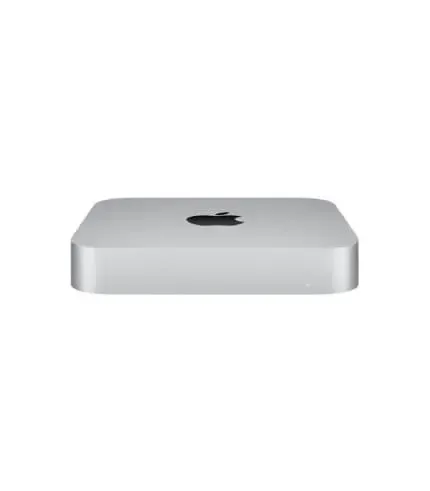
Apple Mac mini M1
The Apple Mac mini M1 is listed at KES 124,999. The catalogue instructs buyers to confirm memory, storage, condition and included accessories.
Consider it when assessing a desktop workstation. Check what display, keyboard, mouse and connection equipment you would need, and establish what is included rather than assuming a complete desk setup comes with the listing.
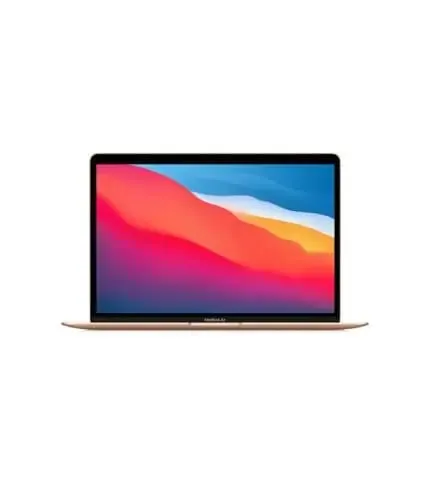
Apple MacBook Air 13-inch · 2020
The Apple MacBook Air 13-inch · 2020 is listed at KES 52,999. Confirm whether the offered unit is Intel or M1, along with memory, storage and battery condition. Ask for clarification of any warranty terms before purchasing.
The processor distinction matters when checking application support. If you intend to carry the computer between customer meetings and the shop, include battery condition and charger details in your enquiry.
Apple MacBook Pro 13-inch
The Apple MacBook Pro 13-inch is listed at KES 37,999. Confirm chip generation, memory, storage and condition.
Do not use the “Pro” name alone as evidence that it suits your production workload. Compare the confirmed configuration against your software requirements and representative files.
All three listings use product-family images only. Those images do not establish the exact configuration or condition of the unit being discussed.
Plan the handover into daily production
Before replacing an existing workstation, make a transfer checklist for artwork, fonts, templates, software access and production settings. Keep the old workflow available until you have checked the new setup with representative jobs.
If your uncertainty concerns how design, file preparation and production should fit together, SINTL offers Production Workflow & Technical Consulting. This service provides advice on achieving more consistent output from existing equipment and materials; it is not a substitute for confirming software compatibility.
Next steps
Send your shortlist, software names and intended tasks on WhatsApp +254 795 463 928 or email ENQUIRIES@SINTL.CO.KE. Include the catalogue model and request confirmation of its configuration, condition and included accessories before ordering.