large format printer Kenya: A Buyer’s Test-Print Checklist
Before choosing a large-format printer, assess sample quality, media compatibility, everyday operation and support using a practical test-print checklist.
Start with evidence, not just a specification sheet
If you are searching for large format printer Kenya, a useful buying question is: how will this machine handle the work your customers actually order? A specification sheet helps you shortlist equipment, but representative print samples reveal details that a model name or headline speed cannot explain.
For print shops in Kenya and East Africa, a structured assessment should cover image quality, media compatibility, operator tasks and support. Rather than choosing on purchase price alone, use the same checklist for every machine you consider.
Your large format printer Kenya test-print checklist
Prepare artwork that reflects real orders
Ask whether a demonstration or representative sample can be arranged before making a decision. Prepare artwork similar to the banners, signage or vinyl graphics you intend to produce. Avoid relying entirely on a supplier’s showcase image.
A useful test file includes:
- Small lettering and fine lines to assess clarity.
- Solid colour blocks that make uneven output easier to spot.
- Gradients to reveal abrupt tonal changes.
- Photographs with both dark and light areas.
- A customer logo whose colour requirements you understand.
Use properly prepared artwork. Low-resolution images and unsuitable export settings can introduce defects that are unrelated to the printer. Agree the intended finished size and viewing distance before judging the result.
Inspect the output in context
Examine the sample closely, then step back to its intended viewing distance. A roadside banner and an indoor graphic are not assessed in exactly the same way.
Look for visible banding, blurred edges, uneven solid areas and missing detail. Ask which print mode, media and settings produced the sample. A sample made under one set of conditions should not be treated as proof of identical output under every production setting.
Keep notes alongside each sample so your comparison remains useful after the demonstration.
Compare catalogue options without assuming performance
SEAFAR International lists eco-solvent machines that provide starting points for your shortlist.
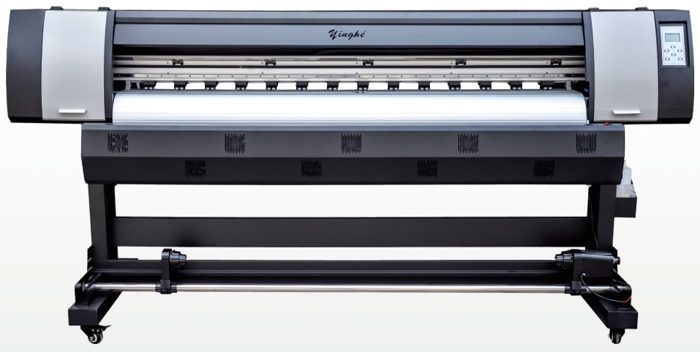
YH-1800A with Epson XP600
The Large format printer YH-1800A is listed at KES 335,000. Its catalogue description identifies a 1.85m eco-solvent printer with one Epson XP600 printhead and a listed output speed of 20m²/h.
Treat that speed as a catalogue specification, not a promise for every job. Ask which operating conditions it describes and assess the quality setting appropriate for your own artwork. Include preparation and finishing when considering how a job will move through your shop.
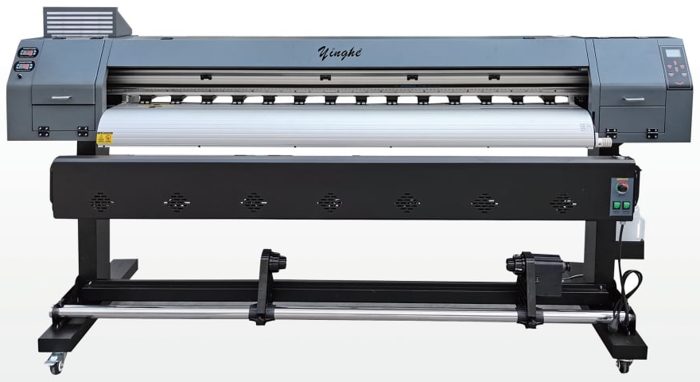
YINGHE 1.8m with Epson i3200
The YINGHE 1.8m Eco-Solvent Printer with Epson i3200 is listed at KES 569,999 and is described for commercial signage, banner production and vinyl graphics.
Use comparable artwork and suitable media when assessing this option. Do not assume that the printhead name alone establishes finished quality or production capacity. Ask for the configuration and operating requirements relevant to the machine being quoted.
Check the media and consumables together
A printer purchase also commits your shop to a material-handling and maintenance routine. Confirm the suitability of each intended medium, ink and cleaning product before use.
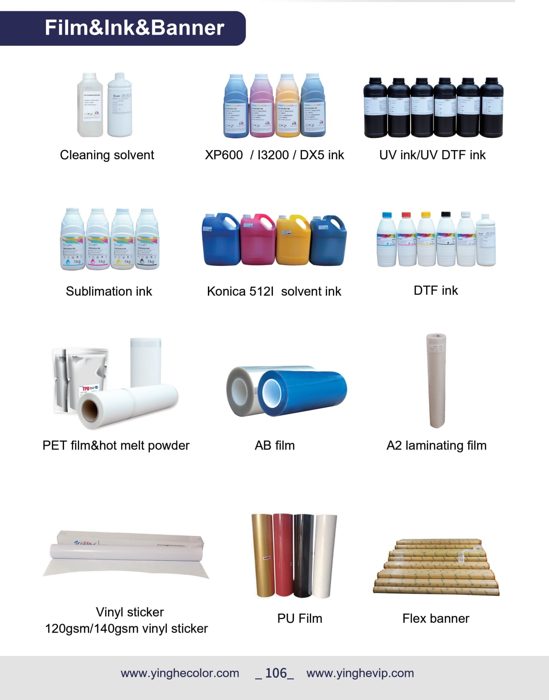
The film, ink and banner catalogue includes cleaning solvent and XP600/I3200/DX5 ink. Compatibility still needs checking against the exact equipment and ink system; a shared printhead reference is not enough to approve a product.
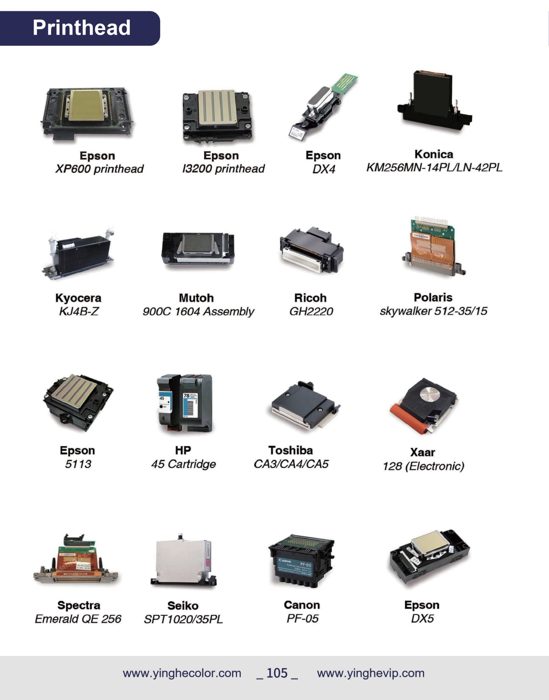
SEAFAR also lists printheads, including Epson XP600 and I3200 options. Prices for these consumables and parts are confirmed on WhatsApp.
Before buying, ask:
- Which inks and cleaning products are approved for the configuration?
- Which media should be used for your intended applications?
- What routine checks should the operator perform?
- What details are needed to identify a compatible replacement part?
Assess the handover, not just the sample
A good sample does not replace operator preparation. Ask how your team will learn media loading, file preparation, routine checks and basic troubleshooting. Review workspace access, ventilation, electrical requirements and material storage against the machine’s documented needs.
SEAFAR’s Printing Machine Installation & Commissioning covers set-up, configuration, first checks and handover. Machine Operation & Technical Training provides hands-on guidance on running, caring for and troubleshooting equipment.
Clarify which services are included in your proposed purchase and which need separate arrangements. Technical Support & Maintenance is also available for machine problems and guidance on keeping equipment running. Service prices are confirmed on WhatsApp.
Next steps
Shortlist your machine and prepare representative artwork plus questions about media, operation and support. WhatsApp +254 795 463 928 or email ENQUIRIES@SINTL.CO.KE to discuss suitable options and confirm prices.