DTF printer maintenance Kenya: Diagnose Recurring Print Faults
Recurring banding, weak white ink or poor transfers? Learn how to isolate DTF production faults, record useful evidence and decide when to seek technical support.
For print-shop teams searching for DTF printer maintenance Kenya, a recurring fault needs more than another cleaning cycle. Banding, patchy white coverage and unsuccessful transfers can originate at different stages of production. The useful question is not simply “what should we clean?” but “where does the problem first appear?”
This guide focuses on fault diagnosis rather than a routine maintenance checklist. It explains how to gather evidence, separate printer problems from material or finishing issues, and give a technician a clearer starting point.
DTF printer maintenance Kenya: Find the faulty stage
Before adjusting anything, inspect the job at each production stage. A defect visible on freshly printed film needs a different investigation from one that appears only after pressing.
- Examine the print before powder application and curing.
- Check whether the defect appears in colour, white ink or both.
- Compare the cured transfer with the original printed film.
- Inspect the finished garment for incomplete release, lifting or uneven appearance.
Keep a sample from the affected job where practical. Record when the fault first became visible. Do not change print settings, materials and press conditions together: that makes it difficult to identify which change affected the result.
Use nozzle checks as evidence
Compare before and after cleaning
A nozzle check helps distinguish missing ink output from problems elsewhere in the workflow. Save or photograph the pattern before taking action, then compare it with the result after the manufacturer-approved cleaning procedure.
Repeatedly running cleaning cycles without checking the outcome is not a diagnosis. If the same gaps remain, or the pattern deteriorates, stop escalating the cleaning and seek guidance.
Use only cleaning products and methods approved for the installed ink system and printhead. Do not assume a general cleaning solvent is suitable for a DTF head, and avoid improvised flushing or dismantling.
Look beyond the printhead
When nozzle checks appear complete but production prints show bands or uneven coverage, investigate other variables. Film loading, feed behaviour, artwork settings and the selected print profile may need attention.
For weak white coverage, compare the nozzle pattern with the white-layer settings and follow the machine’s specified white-ink handling procedure. Do not assume every printer has the same agitation or circulation arrangement.
Separate material problems from machine faults
Material changes are important clues. If a problem started after opening a new ink container, changing film or introducing a different powder, record that change before replacing parts.
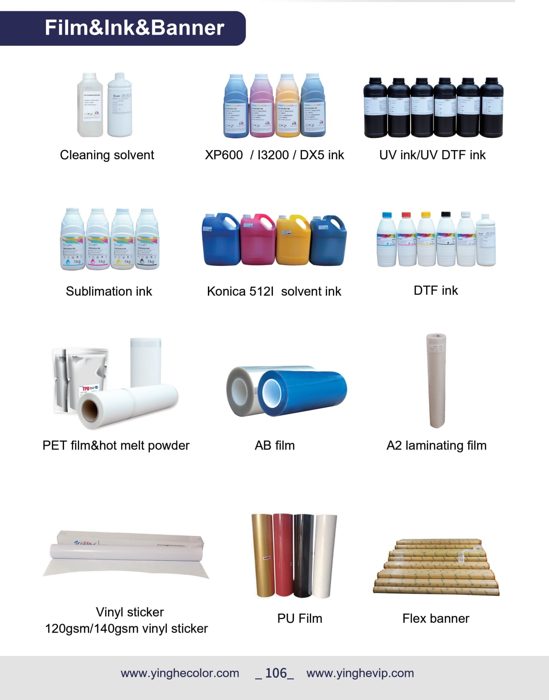
SEAFAR’s film, ink and banner catalogue includes DTF ink, PET film and hot-melt powder. Confirm suitability for your machine and transfer process rather than treating all products within a category as interchangeable. Prices are confirmed on WhatsApp.
For a controlled comparison:
- Use the same test artwork and documented print settings.
- Confirm the intended printable side of the film.
- Keep unused materials protected from dust and moisture according to their storage instructions.
- Change one variable at a time and label the resulting samples.
If the printed image looks correct but the garment result fails, review powder application, curing, pressing and peeling instructions. Increasing press temperature without checking the transfer requirements can introduce another variable rather than resolve the original issue.
Identify the machine before ordering parts
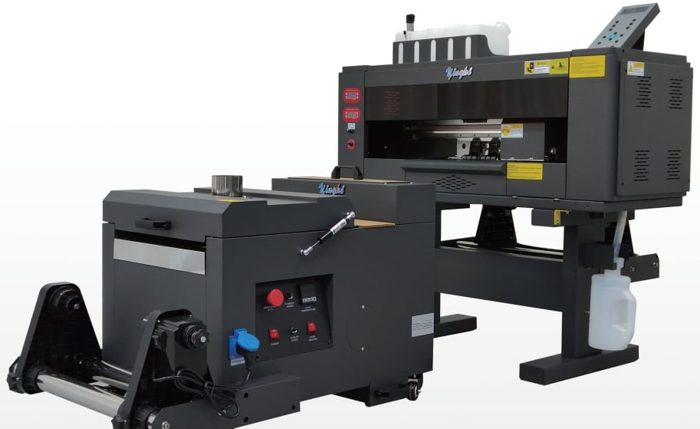
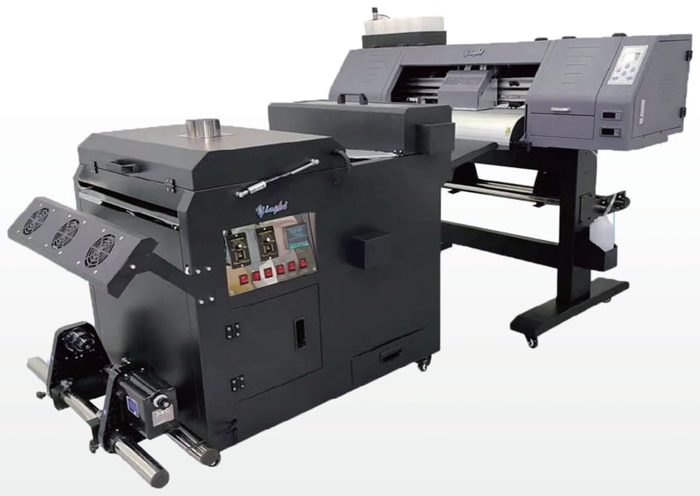
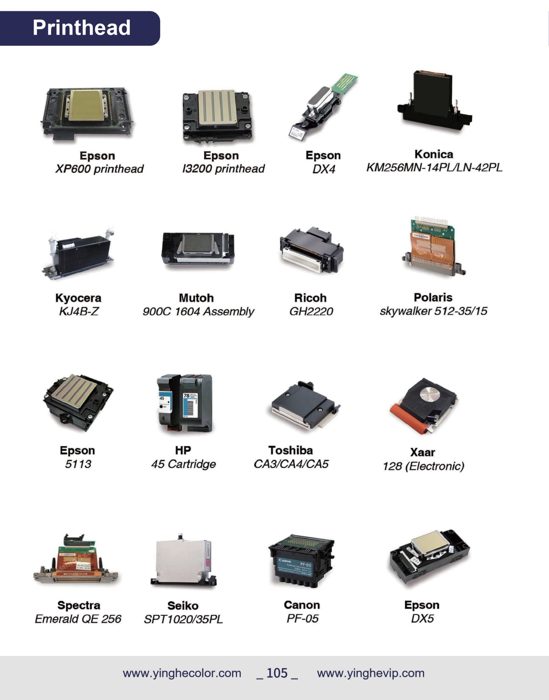
A machine name alone may not establish the installed printhead configuration. The YH-A3 DTF printer + powder shaking machine is listed with Epson XP600 x2. The YH-700 DTF printer is listed with Epson XP600 x2, with I3200 optional.
That distinction matters when requesting technical advice or replacement parts. Share the model label and installation records, and ask a technician to verify the fitted configuration if you are unsure.
SEAFAR’s printheads catalogue includes Epson XP600 and I3200 options. Replacement should follow diagnosis and compatibility confirmation, not merely a search for a printhead price. Prices are confirmed on WhatsApp.
Build a useful fault report
A short maintenance log helps different operators avoid repeating unsuccessful adjustments. Record:
- The machine model and known head configuration.
- The symptom and stage where it first appears.
- Nozzle-check images before and after approved cleaning.
- Any recent changes to materials or settings.
- Actions already taken and their observed results.
Pause production if there is a leak, unusual mechanical noise or contact between the head and film. Follow the machine’s safe-stop procedure rather than attempting repairs while it is operating.
SEAFAR offers Technical Support & Maintenance for machine problems and maintenance guidance. Machine Operation & Technical Training can help teams develop consistent operating, care and troubleshooting habits.
Next steps
Need help investigating a recurring DTF fault? WhatsApp +254 795 463 928 or email ENQUIRIES@SINTL.CO.KE with your machine model, nozzle-check images and a brief description of the problem.